


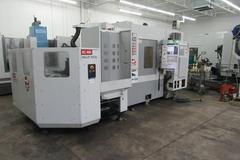
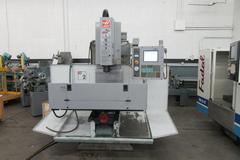


How to Identify a Haas Coldfire 2 Control and Verify Machine Hours
Know What You're Buying: Software Version, Machine Hours, Tool Changes, and Common Hour-Meter Glitches
When evaluating a used Haas CNC milling machine, one of the most important steps is verifying the machine's control generation and reviewing its operating history. In this video, I walk through how to identify a Haas machine equipped with the Coldfire 2 control processor, how to locate the machine's software version, and how to access important usage information such as machine hours and total tool changes.
Why This Information Matters
Whether you're buying, selling, appraising, or maintaining a used Haas machining center, understanding the machine's true usage can help you make a more informed decision.
Key data points include:
- Control generation
- Software version
- Servo On Time
- Motion Hours
- Spindle Hours
- Total Tool Changes
These figures help establish how heavily the machine has been used and may provide valuable insight into overall wear and maintenance requirements.
Identifying a Haas Coldfire 2 Control
Haas has used several generations of controls over the years. Machines equipped with the Coldfire 2 processor are common on many Haas mills produced from 2007-2009.
Being able to identify the control generation is important because:
- Navigation menus differ between generations.
- Software versions vary.
- Diagnostic information is accessed differently.
- Certain software quirks and known glitches are unique to specific control platforms.
In the video, I show visual clues that help identify a Coldfire 2-equipped machine before accessing the machine diagnostics.
Finding the Software Version
Another important piece of information is the machine's software version.
Knowing the software version can help:
- Determine control generation.
- Verify compatibility with certain options or upgrades.
- Assist service technicians with troubleshooting.
- Identify whether the machine is running older or updated software.
When evaluating used machinery, documenting the software version should be part of every inspection.
Accessing Machine Usage Data
One of the most valuable sections of the Haas control is the usage and diagnostic information that records machine activity.
The video demonstrates how to access:
Servo On Time
The total time the servos have been energized.
Motion Hours
The time the machine has actually been moving under control power.
Spindle Hours
The total time the spindle has operated.
Tool Change Count
The total number of tool changes performed throughout the machine's life.
For buyers and appraisers, tool changes can be especially useful because they provide another indicator of actual machine utilization beyond simple power-on hours.
Understanding the Haas Hour-Meter Software Glitch
During this inspection, the machine displayed a known software anomaly affecting the Servo On Time counter.
This type of issue is most commonly associated with Haas machines utilizing MainCon controls, although it can occasionally appear on Coldfire 2 systems as shown in this example. The glitch causes the displayed hour totals to become inaccurate on the Hours page.
In this particular machine:
✅ Motion Hours appeared normal.
✅ Spindle Hours appeared normal.
⚠️ Servo On Time displayed incorrect data.
It is important to understand that this condition does not necessarily indicate a problem with the machine itself. Rather, it is generally a software-related issue affecting the reporting of usage data.
In some cases, the glitch may affect only one counter, while in other machines it may impact all three hour categories.
Why Buyers and Appraisers Should Know This
Many used machine buyers rely heavily on hour readings when determining machine value and condition. However, experienced machinery appraisers know that hour meters should be considered alongside several other factors, including:
- Overall cosmetic condition
- Maintenance history
- Tool change count
- Axis backlash measurements
- Spindle condition
- Machine age
- Inspection findings
A machine with suspicious hour readings may still be an excellent purchase if the discrepancy is understood and other indicators support the machine's condition.
Final Thoughts
Understanding how to identify a Haas Coldfire 2 control and retrieve accurate machine usage information is a valuable skill for anyone involved in buying, selling, inspecting, or appraising CNC machinery.
This video demonstrates:
- How to recognize a Coldfire 2 control
- Where to find the software version
- How to locate machine hours and tool change counts
- How to identify a common hour-meter software glitch
- What that glitch means when evaluating a used Haas machine
The more information you can gather during an inspection, the better equipped you'll be to make an informed decision about the machine's value and condition.
Looking for a used Haas CNC machine?
Browse our current inventory of used Haas machining centers and other CNC equipment at MachinesUsed.com.